
Free repair up to 200 MB
Upload your .accdb or .mdb file and repair it at no cost. No credit card required.

Repair corrupt MDB & ACCDB files online to restore tables & records for FREE
Fully Autonomous & Secure Processing

Secure & Private: Protected by Privacy Policy


Repair unlimited files-no size limit-with Desktop Software
Fix Access errors where it fails to recognize your .mdb or .accdb file format, blocking access to your data.

The built-in utility may fail when the database is severely corrupted, system tables are damaged, or the file is locked or lacks sufficient permissions.

Incomplete write operations or interrupted transactions may leave the database in an inconsistent state, preventing it from opening correctly.

Sign in and upload your corrupt MDB or ACCDB file to begin secure processing.

Your Access file is Analyzed & repaired automatically in a secure environment.

Preview recovered table schemas directly in your browser.
Access database corruption can occur without warning, whether it's a damaged .accdb file, a corrupted .mdb database, an unreadable database header, or an error that prevents the database from opening. Whatever the cause, database corruption doesn't have to mean that data gone forever.
Stellar Online Access repairs and restore tables from both .accdb databases (MS Access 2007–2024 ) and .mdb databases (MS Access 2003 and earlier).
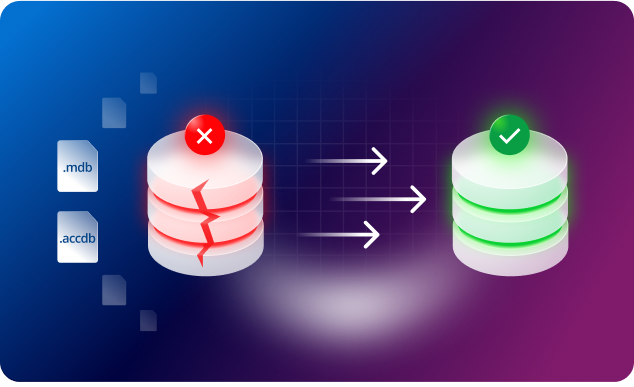
Recover all major MS Access database objects from a corrupted database, including tables, queries, forms, reports, macros, modules, and linked tables. Stellar Online Access Repair preserves the structure and integrity of restore objects, helping ensure your database remains usable after repair. It also restores deleted records from corrupted tables, allowing you to recover critical business data that would otherwise be lost.
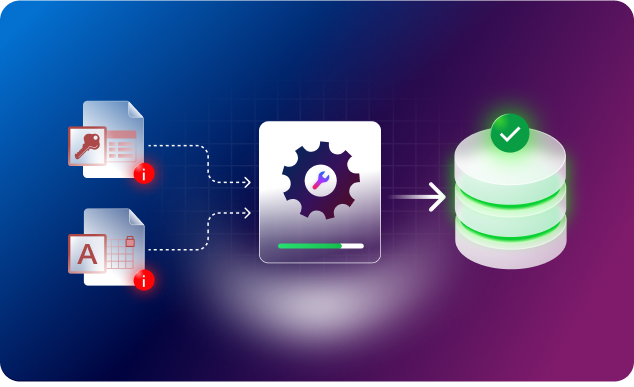

Upload your .accdb or .mdb file and repair it at no cost. No credit card required.

The repair happens on our secure server. You don't need MS Access installed or running on your machine.

View recovered tables, queries, forms, and reports in the browser. Know what all are restored before saving anything.

Use the services from any web browser without installing software or worrying about device limitations.

If your database isn't severely corrupted, the repair process typically takes less than 15 minutes, allowing you to restore your database immediately.

Whether your database runs on the newer .ACCDB format or the legacy .MDB format, this online service handles both file types.
Transparent Pricing. Choose The Best Plan.
We have answers to the most common questions that our users ask.
Yes. You can repair your corrupt MS Access database online for free. It doesn't even require your credit card details for repairing corrupt MDB and ACCDB files up to 200 MB. For files larger than 200 MB (up to 2 GB), you can upgrade to Premium plan.
No, one file is processed at a time. You need to run repair separately for each corrupt file.
If you need to repair a single file, the online Access repair is the faster option. For repairing multiple files, the desktop software is best choice.
Once your file is repaired, you'll need to download it within the specified timeframe: 24 hours under Free plan and 48 hours under Premium plan after that, it's automatically deleted from the server.
Yes. You can repair Access databases even when Compact & Repair has failed to fix them.
Never. The Access file repair service works in read-only mode, so it doesn't write anything to your file. Your uploaded file remains completely untouched during processing and repair. It creates a new repaired file for you to download.
Stellar's online Access repair tool supports .mdb and .accdb files created in Microsoft 365, and Access 2021, 2019, 2016, 2013, 2010, 2007, and earlier versions back to Access 2002.
The free Access repair tool is built to fix most errors that prevent you from accessing your database, including common messages like 'Unrecognized Database Format,' 'Database in an Inconsistent State,' and error 2950, etc.
Yes. The tool supports password-protected .accdb and .mdb files. During the repair process, you'll be prompted to enter the file's password; once verified, repair begins automatically.
Yes. Online Service looks beyond corruption to detect recently deleted data, and it can often restore those records into the repaired tables.
Online Access repair succeeds in most corruption cases. If it doesn't work for your file, you can download Stellar Repair for Access (desktop software), which performs a deeper scan and can fix issues the online tool can't reach.

Stellar offers a range of online services that you can use for free.