Stellar® Online PST Repair

Free PST Repair Online

Repair corrupt or damaged PST file to restore emails for FREE

Upload your Corrupt PST File

Stamp

Secure & Private: Protected by Privacy Policy

  • Files Fixed
    100k+ Files Repaired
    Over 100,000 users have trusted Stellar for their secure file repair needs
  • Repair within
    Repair within 15 Mins
    Stellar's online service can fix files within 15 minutes for most users
  • No Installation
    No InstallationRequired
    It's Simple & Easy. No software download & installation needed.

Repair unlimited files-no size limit-with Desktop Software

Repair in 3 Steps : Secure, Automated & Privacy Assured

Upload Corrupt PST File
1

Upload Corrupt PST File

Click on 'Repair PST Online' button to sign-in and upload your mailbox to our secure server.

Repair PST Online
2

Repair PST file

Your PST file is analyzed in Fully Automated & Safe Environment with no human touchpoints.

Preview & Download
3

Preview PST file & Download

Preview & Download your repaired PST file. All data is erased after 24-hours for Security & Privacy.

Stellar Online PST Repair Use Cases

PST Won’t Open

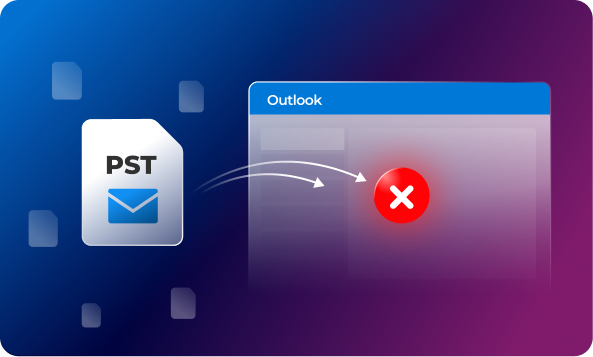
When a PST file gets corrupted, Outlook may fail to open the file or display an error, “Outlook data file cannot be opened”. This can prevent you from accessing emails, attachments, contacts, calendars, and other mailbox items stored in the PST file. In such cases, you can use Stellar Online PST Repair service that can repair the corrupted PST file and restore the mailbox data.

PST Won’t Open

ScanPST fails

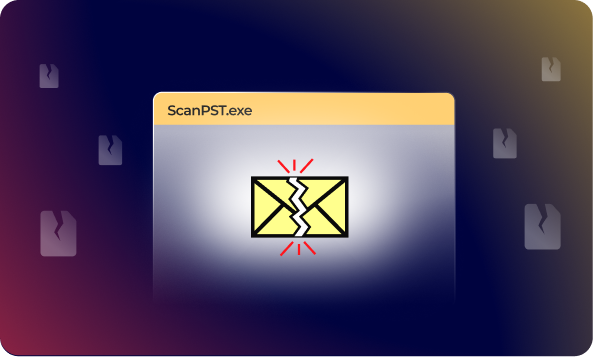
ScanPST or Inbox Repair Tool can diagnose and fix certain errors in the PST file. However, it may freeze or crash during the repair process or even fail to repair the file. In such situations, you can consider using Online PST Repair service to repair the corrupted PST file and recover all the mailbox items without any hassle.

ScanPST fails

Outlook Crashes or Freezes

If your Outlook is freezing, or crashing when accessing emails, corruption in the PST file can be one of the possibilities. You can use ScanPST to repair the file. However, it may not be able to repair a severely damaged file. As an alternative, you can use Online PST Repair tool by Stellar. It repairs the PST file irrespective of the level of corruption.

Outlook Crashes or Freezes

Oversized PST File

An oversized PST file can cause various problems in Outlook. Older ANSI PST files had a much lower size limit while the Unicode PST files have a default limit of 50 GB, depending on the Outlook version. As the file grows in size, Outlook becomes slower or frequently crashes. Such frequent crashes can lead to PST file corruption, which can be resolved with the help of Stellar Online PST Repair.

Oversized PST File

Drive failure due to Bad Sectors

Although it is less common, problems with storage drive/device can also affect the PST files. If the HDD or SSD, where your PST file is stored, has developed bad sectors, then your PST file becomes corrupted and throws an error message, “Outlook data file cannot be accessed”. In such situations, you can use powerful tools, like Stellar Online PST Repair to get back access to your PST file data.

Drive failure due to Bad Sectors

How to Repair your PST Online

How to Repair your PST Online

Accurately Repair PST File & Restore ALL Mailbox Items

Precision Repair of Your Corrupt PST

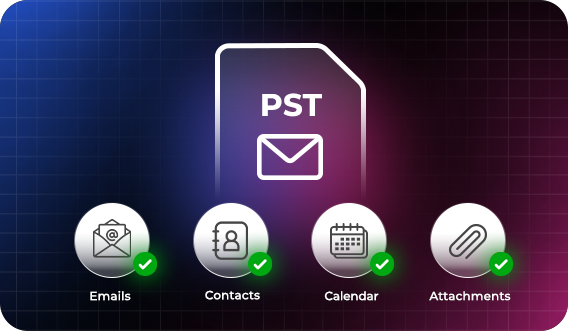
Stellar Online PST repair service ensures complete data integrity and preserves the original structure during the repair process. It restores emails and all mailbox items, including contacts, calendars, attachments, notes, and journals, from corrupted PST files. Once the repair is completed, you are notified to download the repaired PST file on to your computer. Online PST repair service also provides you the choice to preview mailbox folders and item count in the browser.

Repair Corrupt PST File & Restore Mailbox Items

Why Choose STELLAR's Online PST Repair

  • Free repair up to 500 MB Free repair up to 500 MB
  • No Outlook RequiredNo Outlook Required
  • Maintain Data IntegrityMaintain Data Integrity
  • Preview Items before DownloadPreview Folder Structure
  • Fast & Convenient Fast & Convenient

Stellar Online PST Repair Price & Plans

Start with Free plan - upgrade to Premium to repair larger files.

ONLINE SERVICE
Free
$0
Repair PST Online

No Credit Card Required

  • Repair file Up to 500 MB
    Repair corrupt PST files up to 500 MB at no cost.
  • Repair single PST file for free.
    The Free plan allows you to repair only 1 PST file.
  • Repaired file available for download within 24 hours.
    Your repaired files are securely stored for 24 hours and permanently deleted thereafter to protect your privacy.
Best Value
Premium
$29.99/File
Upgrade Now

Secure Online Transaction

  • Repair PST file Up to 5 GB
    Supports PST files up to 5 GB for standard business usage.
  • Repair single PST file
    PST file larger than 500 MB & upto 5 GB can be repaired at $29.99 per file.
  • Repaired file available for download within 48 hours.
    Your repaired files are securely stored for 48 hours and permanently deleted thereafter to protect your privacy.
DESKTOP SOFTWARE
Professional Edition
$79
Try Desktop Software

Free Preview & Save

  • No file size limit
    You can repair PST file of unlimited size with the Desktop Edition.
  • Repair unlimited files at $79
    The Professional Edition allows you to repair unlimited files.
  • Files are repaired locally on your computer
    You can repair PST file & save directly only on computer. Outlook is required to open repaired file. FREE Trial Avialable to Scan & Preview Mailbox Items

FAQs

We have answers to the most common questions that our users ask.

Is it safe and secure to upload my PST file?

Stellar Online PST Repair service uses a secure connection to upload and process your corrupt PST files in a fully automated environment with no human touchpoint. Uploaded and repaired files are automatically and permanently deleted from our servers within 24 hours (for the Free plan) and 48 hours (for the Premium plan).

Yes. You can repair a PST file of up to 500 MB for free using Stellar Online PST Repair. With the Premium plan, you can repair PST files of up to 5 GB. For larger PST files (over 5 GB), you can use the Desktop Software, which has no file-size restriction.

Yes. The Online PST Repair service by Stellar does not require Microsoft Outlook to be installed. The PST repair process runs in your browser, with no additional software required on your system.

No. The online service processes one PST file at a time. You can repair additional PST files one after another, subject to your plan's file-size limit. If you need to repair multiple PST files, the Desktop Software is a better fit.

The time to repair the PST file depends on the file size, extent of corruption, and internet speed. In most cases, the repair process is completed within 15 minutes, while larger or severely corrupted PST files may take longer.

Choose Online PST Repair service if you want to repair PST files of less than 5 GB without the need to download or install any software. The process runs in your browser, and you can save the repaired PST file on your system. If you need to repair larger or multiple PST files, the Desktop Software is the better option. It performs the repair process locally on your system.

You can save the repaired PST file to any desired location on your system. By default, the downloaded file is saved in your Downloads folder.

Yes. You can preview the recovered folder structure and item counts before downloading the repaired PST file.

Yes. Stellar Online PST Repair can repair password-protected PST files and restore the mailbox data.

Stellar Online PST Repair service can efficiently repair corrupt PST files and recover mailbox items, including emails, attachments, contacts, calendar entries, tasks, notes, and journal entries, while preserving the original mailbox hierarchy.

Stellar Online PST Repair works with major modern browsers, including Google Chrome, Mozilla Firefox, Microsoft Edge, and Safari.

Stellar Online PST Repair service supports both ANSI and Unicode PST formats. It can repair PST files created in all versions of Microsoft Outlook from 2003 to 2024.

Stellar Online PST Repair can repair PST files that get corrupted due to issues such as Outlook crashes or improper system shutdowns, CRC errors, disk errors, bad sectors, malware or virus infections, and synchronization conflicts. It can also analyze PST files that are inaccessible or cannot be opened in Outlook.

Yes. The online PST repair service by Stellar supports PST files created in all versions of Classic Outlook from 2003 up to 2024, including both ANSI and Unicode formats.

Stellar Repair for Outlook
Desktop Software

Repair Large PST files

  • No file size limit
  • Preview Mailbox items before Saving
  • Process and save locally
  • Free technical support included
Testimonial
"It Fixed and repaired my Corrupt PST file."
Mr. John EnnisIT Professional, USA
Client

Discover a Full Suite of Tools

Stellar offers a range of online services that you can use for free.