Stellar® Online Video Repair

Free Online Video Repair

Fix corrupted, frozen, or unplayable MP4, MOV, AVl, and other videos for FREE

Upload to Repair Your Corrupted Video

Fully Autonomous & Secure Processing

Stamp

Secure & Private: Protected by Privacy Policy

  • Files Fixed
    100K+ Files Fixed
    Over 100,000 users have trusted Stellar for their secure file repair needs
  • Repair within
    Repairs within 15 Mins
    Stellar's online service can fix video within 15 minutes for most users
  • No Installation
    No InstallationRequired
    It's Simple & Easy. No software download & installation needed.

Repair unlimited files with no size limit on Desktop Software

Benefits of Online Video Repair

AI Powered

Your files are processed automatically by AI Technology to repair your videos quickly.

AI Powered

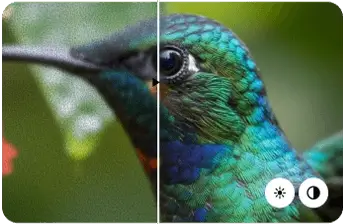
Preserve Original Quality

Your video's original resolution, frame rate, and bit rate stay fully preserved during the fix.

Preserve Original Quality

Secure & Private

Your files are fixed in secure & private server and gets deleted automatically after repair.

Secure & Private

Repair your Corrupt Video in just 3 Steps

Upload a Corrupt Video
1

Upload a Corrupt Video

Upload your damaged or broken video for repair.

Add Sample Video
2

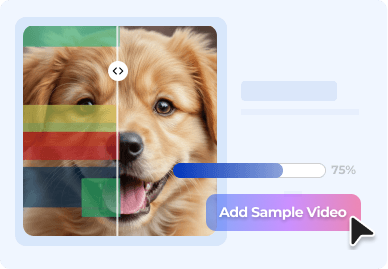
Add Sample Video

Uploading a sample video helps increasing the efficiency and accuracy of repair.

Repair & Download
3

Repair & Download

Start the Repair process to fix your damaged video for a preview and download.

How to Repair your Video Online

How to Repair your Video

Online Video Repair Service for Any Scenario

Get your corrupt and unplayable videos repaired with Stellar in a seamless, quick, and hassle-free process. Whether the corruption occurred due to power outage, virus attack, faulty downloads or transfers, corruption in the storage drive, OS crash or other problem

Corrupted or Damaged Videos

Glitch Error Videos

Blurry Videos

Playback Slugging Videos

Videos Can't Play

Flickering Videos

Corrupted or Damaged Videos

Is your video damaged, plays no sound, or is broken? No matter what the scenario is, fix your video and restore the original quality using the powerful and fast video repair tool.

Glitch Error Videos

Whether you are dealing with distorted visuals or audio, fix your glitch error videos using the efficient online video repair tool to repair these distorted videos.

Blurry Videos

Video file corruption or low resolution can lead to blurry or grainy videos. Unblur your videos perfectly using the robust and safe online video repair tool.

Playback Slugging Videos

Rendering issues or codec errors can result in playback slugging in videos. Fix slow playback in videos using the online video repair tool from Stellar at absolutely no cost. Try and see the difference!

Videos Can't Play

'Video Can't Play' is a common error and is mostly caused by an interruption while downloading videos. Corrupt videos that are unplayable, truncated or frozen, can be easily repaired.

Flickering Videos

Flickering, shuttering, or jerky videos are annoying and can spoil your cherished memories or professional work. Fix your corrupted videos and revive your life moments with online video repair tool.

Repair Files Online on Any Device, in Any Format

Repair Videos in Any Format

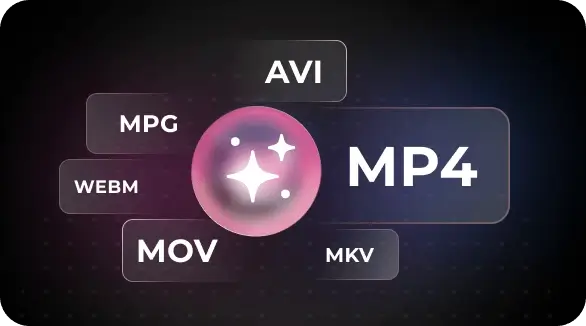
You have corrupt movie files, 4K HD videos, or VR videos, you can repair them all using Stellar Online Video Repair in a matter of a few clicks. The powerful online tool fixes popular video formats that work on Windows, Mac, iPhone or Android. These include MP4, MOV, AVI, MKV, ASF, WMV, FLV, DIVX, WEBM, MJPEG, MPEG, AVCHD, MTS, M4V, 3G2, 3GP, F4V, HEVC, and more.

Repair Videos in Any Format
Fix Videos Recorded from Any Device

Fix Videos Recorded from Any Device

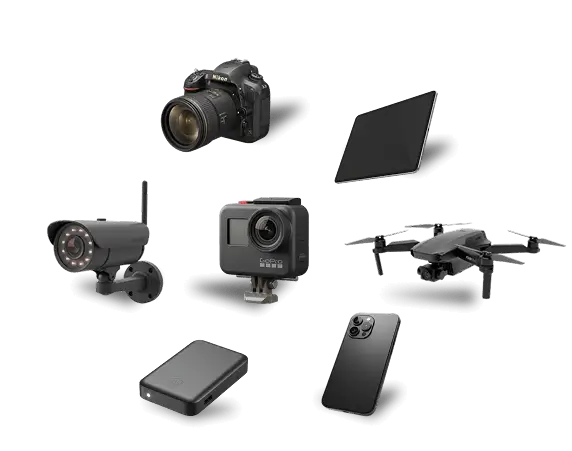
Whether you have corruption issues on videos shot on DSLRs, drones, DJI, GoPro, CCTVs, or mobile phones, the Stellar Online Video Repair fixes videos from all cameras of popular brands including Sony®, Canon®, Nikon®, FujiFilm®, GoPRo®, DJI® (Mavic, Phantom), Panasonic®, Samsung®, Olympus®, Flip Video®, Pentax®, Mamiya® etc. It supports all storage devices, including memory cards, SDXC, SDHC, pen drives, USB flash drives, CF cards, CD/DVD, SSD, etc., that store videos.

What Users Say About Our Repair Service

Compare Plans and Pricing

ONLINE SERVICE
Free
$0
Free Repair

No Credit Card Required

  • Repairs 1 video file
    You can repair 1 Video File absolutely free.
  • File size limit is 100 MB
    Maximum File sized allowed in the Free Plan is 100 MB.
  • Download available for 24 hours
    After Repair is done your file will be available for Downloads within 24 hours after which it will be deleted automatically from the server.
  • No Installation required
    If you have video file larger than 100 MB, you can upgrade to premium plan to repair it.
Best Value
Premium
$9.99
Monthly
Yearly
Upgrade Now

Secured Online Transaction

  • Repairs 10 corrupt video file
    Premium Plan allow to repair 10 video files.
  • File size limit is 5GB
    You can repair any video type upto 5GB in size.
  • Download available for 48 hours
    Download and save the repaired files to your system. Files are stored for 48 hours after which they gets deleted automatically.
  • No Installation required
    If any of your files are not repaired online. Our expert can attempt to repair manually in the lab after your confirmation.
DESKTOP SOFTWARE
Standard Edition
$49.99

per year, billed yearly

Try Desktop Edition

Free Download & Preview

  • Repairs Unlimited video file
    You can Download & Install the Desktop software to repair unlimited video files for a year.
  • No file size limit
    In Desktop software there is no size limit, you can repair video of 100 MB or even 1 TB.
  • Repair locally with DIY Software
    All operations are performed locally and repaired files are saved directly to your computer.
  • Free Technical Support available
    We provide Free Technical Support 24 hours (Monday to Friday).

FAQs

We have answers to the most common questions that our users ask.

Stellar Online Video Repair is SSL Certified which makes it safe to use. Your videos are encrypted during upload and repair, processed in a secure server, and deleted automatically after the repair. The tool works in read-only mode, ensuring secure sensitive user data protection.
You can repair corrupted MP4 files for free using Stellar Online Video Repair, a browser-based tool that lets you fix corruption issues without downloading any software. Simply upload a corrupted MP4 file, allow the tool to analyze and repair it at zero cost.
Yes, you can repair a damaged MOV file using Stellar. Simply upload your MOV file to Stellar Online Video Repair. The tool analyzes the video, identifies the corruption, and repairs the affected components to make the video playable. After processing, you'll receive a preview of the repaired video.
Your sensitive videos are safe to repair with our Online video repair. Nevertheless, if you are still concerned about your videos, then you can use our desktop video repair software. Where your videos are entirely on your own system and won't be accessible by anyone.
Yes, several free video repair options are available. Try built-in tools in media players like VLC for basic fixes. Additionally, free online services such as Stellar Online Video Repair allow you to repair one video file.
Most corrupted or unplayable videos recorded on Android devices (MP4, 3GP) are repaired using specialized tools like Stellar Online Video Repair, which analyzes and fixes structural damage in the file.
Yes, you can repair your damaged iPhone videos using Stellar Online Video Repair, a secure web-based app that fixes unplayable video files without downloading any software to your iPhone or Mac.
Indeed, numerous web-based applications are capable of resolving audio-video synchronization issues, stuttering video issue, or corrupted audio files which leads to improper playback. Stellar Online Video Repair services is one of those with proven results.
No, repairing your video with Stellar Online Video Repair does not reduce its original quality. The tool is designed to fix structural issues such as header corruption, audio-video sync problems, missing frames without compromising the actual visual quality and content.
Yes, Stellar Online Video Repair supports video uploads up to 5GB per file. You can repair any supported video format - such as MP4, MOV, AVI, MKV, and others. This limit ensures fast, smooth, and secure processing directly through your browser.
Ensure the sample file matches the original video and try repairing again. If the issue persists in your fixed video, you can use the desktop software - Stellar Video Repair software which is an advanced video repair for severe corruption with no size limit and unlimited video repair.
Not always, and none of the video repair tool can guarantee 100% restoration of every damaged video. With countless camera models and devices using different methods to encode and store video data in various codecs, repair outcomes naturally vary. However, Stellar Online Video Repair is designed to handle a wide range of corruption issues with ease - at no cost - making it one of the most reliable online tool to fix damaged or unplayable video.
Yes, but you first need to download the video from your cloud storage (Google Drive, iCloud, etc.) to your device. Once the file is saved locally, Stellar Online Video Repair can repair it within minutes.
The 'Free' plan allows you to repair a single corrupt video file by uploading up to 100 MB size, offering a free preview of the repaired video file which is 10% of the actual video file size. While the 'Premium' plan allows you to repair 10 files in a month with a maximum file size limit of uploading up to 5 GB. If you need simultaneous batch processing of multiple files with unlimited repair and no file size limit, you can download the Stellar Repair for Video software, available for Windows and Mac.
A repaired video file is available for download up to 24 hours from the time of the original file upload. Beyond that, the file gets auto deleted and can no longer be downloaded.
To ensure a smooth and secure experience, browser uploads are limited to 5GB. Larger files can cause issues like timeouts, failed uploads, or heavy device memory usage. This limit helps maintain upload stability and prevent server overload.
Since the service is free under 'Free' plan, you can preview the repaired video before buying the 'Premium' plan to ensure it meets your requirements. Unfortunately, once purchased, our service is non-refundable.
Stellar Repair for Video
Desktop Software

Fix Large Corrupted Videos

  • No file size limit
  • Unlimited Batch Video Repair
  • Repair and Save locally
  • Free Technical Support
Testimonial

"I rarely write testimonials. This software saved the day for me!"

Dr. Ozan Bitik M.D.Plastic Surgeon
Plastic Surgeon

Discover a Full Suite of Tools

Stellar offers a range of online services that you can use for free.