Stellar® Online Exchange Repair

Free Online Exchange Database Repair

Repair Exchange Database online and restore all mailbox data for FREE

Upload your corrupt EDB file

Stamp

Secure & Private: Protected by Privacy Policy

  • Files Fixed
    100K+ Files Repaired
    Successfully repaired 100K files including exchange database.
  • Repair within
    Repair within 15 Mins
    Usually takes less than 15 minutes to repair any file.
  • No Installation
    No InstallationRequired
    No Software installation required nor Exchange Server or Outlook.

Repair unlimited EDB files - no size limit with Desktop Software
Exchange Database Corruption Issues

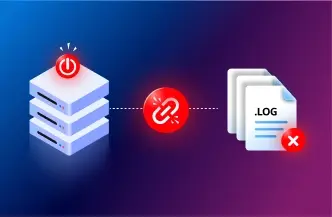
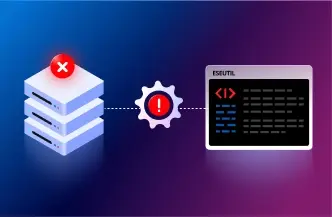
ESEUTIL Fails to Recover Database

Restore Exchange database when ESEUTIL soft recovery (/R) or hard repair (/P) fails to mount the Exchange database.

ESEUTIL Fails to Recover Database

Exchange Database in Dirty Shutdown

Recover Exchange database from Dirty Shutdown caused by missing transaction logs, unexpected shutdowns or corruption.

Exchange Database in Dirty Shutdown

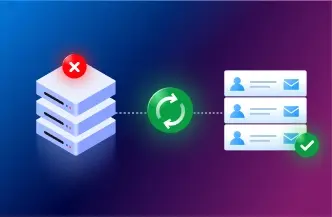
Restore Exchange Server after Crash

Restore Exchange Database and recover mailbox data when server crashes, hardware failures, or storage corruption make it inaccessible.

Restore Exchange Server after Crash

Restore Exchange Mailbox in 3 Steps: Secure & Reliable

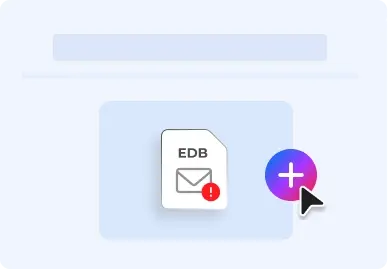
Upload Corrupt EDB File
1

Upload Corrupt EDB File

Click on the 'Repair EDB file' button to sign in and upload your EDB file to our secure server.

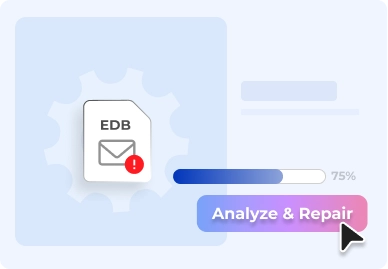
Analyze & Repair
2

Analyze & Repair

Your EDB file is Analyzed & Repaired in a fully Automated and Secure environment, with no human intervention.

Preview & Download
3

Preview & Download

Preview mailbox structure & download recovered mailboxes in PST files combined in a ZIP folder.

Repair EDB File to Restore Exchange Mailbox items

Recover Exchange Database with Integrity

Fix corrupt or inaccessible EDB file and recover mailbox data while preserving the original mailbox hierarchy. This Free Online Exchange Repair service restores emails, attachments, contacts, calendars, tasks, notes, and journals from the affected database. After repair, mailboxes and their folder structure can be previewed in your browser, which can be downloaded as ZIP file which contains individual mailbox in PST files. These PST files can further import into Live Exchange or M365 to restore emails.

Why Choose Exchange Database Recovery Online

  • Free repair up to 500 MB Free repair up to 500 MB
  • No Exchange Server requiredNo Exchange Server required
  • Detect corruption instantlyDetect corruption instantly
  • Preview Before DownloadPreview Before Download
  • Preserve Mailbox Integrity Preserve Mailbox Integrity

Stellar Online Exchange Repair Price Plans

Upgrade to Premium for larger database or Desktop Edition for unlimited recovery.

ONLINE SERVICE
Free
$0
Repair EDB Online

No Credit Card Required

  • Repair Database up to 500 MB
    Supports Recovering EDB file up to 500 MB, large file requires upgrade to premium or desktop edition.
  • Repair Single EDB file
    Allows Recovery of one EDB file.
  • Preview & Download available for 24 hours
    Recovered file is available for 24hrs , then automatically removed.
Best Value
Premium
$99.99/File
Upgrade Now

Secure Online Transaction

  • Repair up to 5 GB
    Supports recovering EDB files up to 5GB for larger database needs.
  • Repair Single EDB file
    Recover a single EDB file for $99.99. Process one Exchange Database (EDB) file per recovery request.
  • Preview & Download available for 48 hours
    Recovered Exchange mailbox data remains available for download for 48 hours before automatic deletion.
DESKTOP SOFTWARE
Corporate Edition
$399
Try Desktop Edition

Free Preview & Save

  • Repair EDB File without size limit
    Supports recovering EDB files of any size with no limitation.
  • Repair unlimited EDB Files
    Recover unlimited Exchange Database (EDB) files.
  • Works offline & saves locally
    Restore Exchange Database and save recovered mailbox data locally without uploading files to the cloud.
  • Export to PST, Live Exchange & M365
    Export repaired Exchange mailbox data to PSTs, Live Exchange Server, or Microsoft 365.

FAQs

We have answers to the most common questions that our users ask.

How does Free Online Exchange Database Recovery ensure the security and privacy of my mailbox data?

Stellar Online Exchange Repair uses an encrypted connection to securely upload and process Exchange Database (EDB) files. All uploaded and recovered data is automatically and permanently deleted from our servers within 24 hours for Free plan users and 48 hours for Premium plan users.

Yes. Stellar lets you recover Exchange Database (EDB) files up to 500 MB at no cost, with no credit card required. To recover Exchange Database files up to 5 GB, upgrade to the Premium plan. For larger Exchange databases with no file size limit, use the Desktop Edition.

No. This free service works directly with your Exchange Database (EDB) file and does not require Microsoft Exchange Server to be installed.

No. Stellar Online Exchange Repair is a read-only process. Your original Exchange Database (EDB) file remains unchanged throughout the recovery process.

Free Exchange Database Recovery helps recover Exchange Database files affected by corruption, Dirty Shutdown, ESEUTIL failures, missing transaction logs, unexpected server shutdowns, storage corruption, and other issues that prevent an Exchange Database (EDB) from mounting.

Yes. Recover Exchange Database and preview recovered Exchange mailboxes, mailbox folders, and mailbox item counts before downloading the recovered data.

Free Exchange Database Recovery supports Exchange Database (EDB) files up to 500 MB. The Premium plan supports Exchange Database (EDB) files up to 5 GB. For larger Exchange Database (EDB) files with no file size limit, use the Desktop Edition.

Yes. Recover Exchange Database and restore Exchange Database from a Dirty Shutdown state caused by missing transaction logs, unexpected shutdowns, or database corruption.

Yes. Recover Exchange Database when ESEUTIL soft recovery or hard repair fails to repair or mount your Exchange Database.

Free Online Exchange Database Recovery supports Exchange Database (EDB) files created by Microsoft Exchange Server Subscription Edition (SE), 2019, 2016, 2013, 2010, 2007, and 2003.

The time required to recover an Exchange database depends on the EDB file size, the level of corruption, and the amount of mailbox data. Larger or heavily corrupted Exchange databases may take longer to analyze and recover.

No. Free Online Exchange Database Recovery processes one Exchange Database (EDB) file per recovery session. To recover an unlimited number of Exchange Database files, use the Desktop Edition, which processes one EDB file per recovery operation.

Once Exchange Database Recovery is complete, download a ZIP file containing separate Outlook PST files for each recovered Exchange mailbox and save it to your local computer.

Free Online Exchange Database Recovery recovers emails, attachments, contacts, calendars, tasks, notes, journals, and the original mailbox folder hierarchy from each Exchange mailbox.

Free Online Exchange Database Recovery supports the latest versions of Google Chrome, Microsoft Edge, Mozilla Firefox, and Apple Safari.

Yes. It helps recover Exchange Database (EDB) files that fail to mount due to corruption, Dirty Shutdown, missing transaction logs, or ESEUTIL failures.

Exchange Repair Software
Desktop Software

Repair Corrupt EDB File

  • No file size limit
  • Recover Unlimited Exchange Databases
  • Export to PST, Live Exchange & Microsoft 365
  • Free technical support
Testimonial
"Stellar Repair for Exchange is a game-changer for Exchange administrators. I highly recommend it."
Edward van Biljon MVP
Client

Discover a Full Suite of Tools

Stellar offers a range of online services that you can use for free.